

Checkmarx
Documentation for the DevGrid Checkmarx Integration
Overview
Checkmarx is a widely used application security testing (AST) solution that helps organizations identify and remediate security vulnerabilities in their software applications during the development and testing phases.
DevGrid supports an integration with the Checkmarx One product (docs).
This allows DevGrid to ingest your security vulnerability information, aggregate it across multiple tools, and surface it back to you in context.
Checkmarx Security Engines DevGrid Supports:
- Software composition analysis (SCA)
- Software composition analysis - Container (SCA - Container)
- Keeping Infrastructure as Code Secure (KICS)
- Static Application Security Testing (SAST)
Coming Soon - Support for:
- API Security Scanning
- Dynamic Application Security Testing (DAST)
Setup
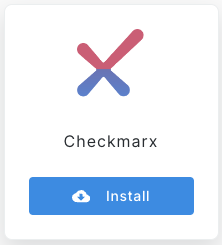
- Navigate to https://app.devgrid.io/settings/integrations, and select the Checkmarx Tile, click install!
- Fill in the requested information
- Client Id: This is the checkmarx app, example:
ast-app - Token: This is your API Key (Checkmarx Docs on Creating API Key)
- Base URL: Which region of Checkmarx you are using, example:
https://deu.iam.checkmarx.net/ - Tenant Name: This is the account name, for example in
https://deu.iam.checkmarx.net/auth/admin/devgrid-nfr/console/devgrid-nfris the tenant name.
- Client Id: This is the checkmarx app, example:
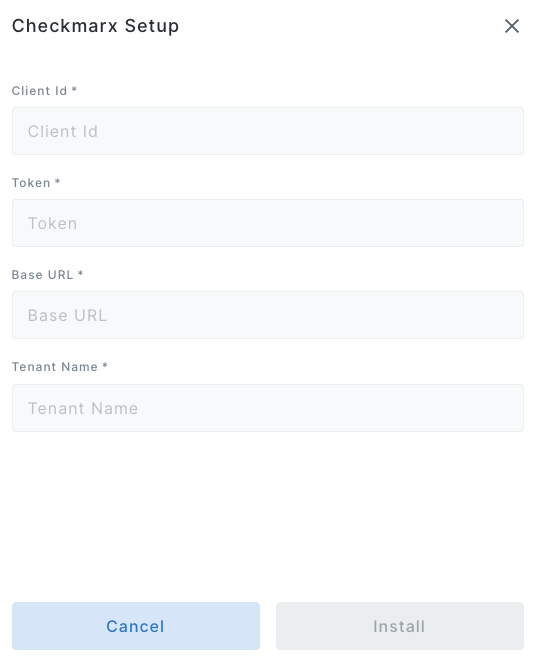
- Click "install"
- We will begin fetching your vulnerabilities on a schedule and you will start to see them within 24hrs.
Updated about 1 year ago